A “Set Up Your Passkey” Text From IT? Here’s What to Do
A practical three-step guide for business employees who get an urgent passkey or Microsoft 365 sign-in message.
Quick Answer
Do not follow an unexpected passkey setup link or share a sign-in code. Open your usual work app independently and verify with IT through a known number or helpdesk. If you already entered a password or approved a prompt, report it immediately so IT can secure your account.
TL;DR
Pause, open your usual work app, and verify with IT through a known channel. If you already interacted with the message, report it immediately.
Key Takeaways
- 1Never use an unexpected sign-in link or share a one-time code.
- 2Open your normal work app independently and contact IT through a known channel.
- 3If you interacted with the message, report it immediately—even if the page looked real.
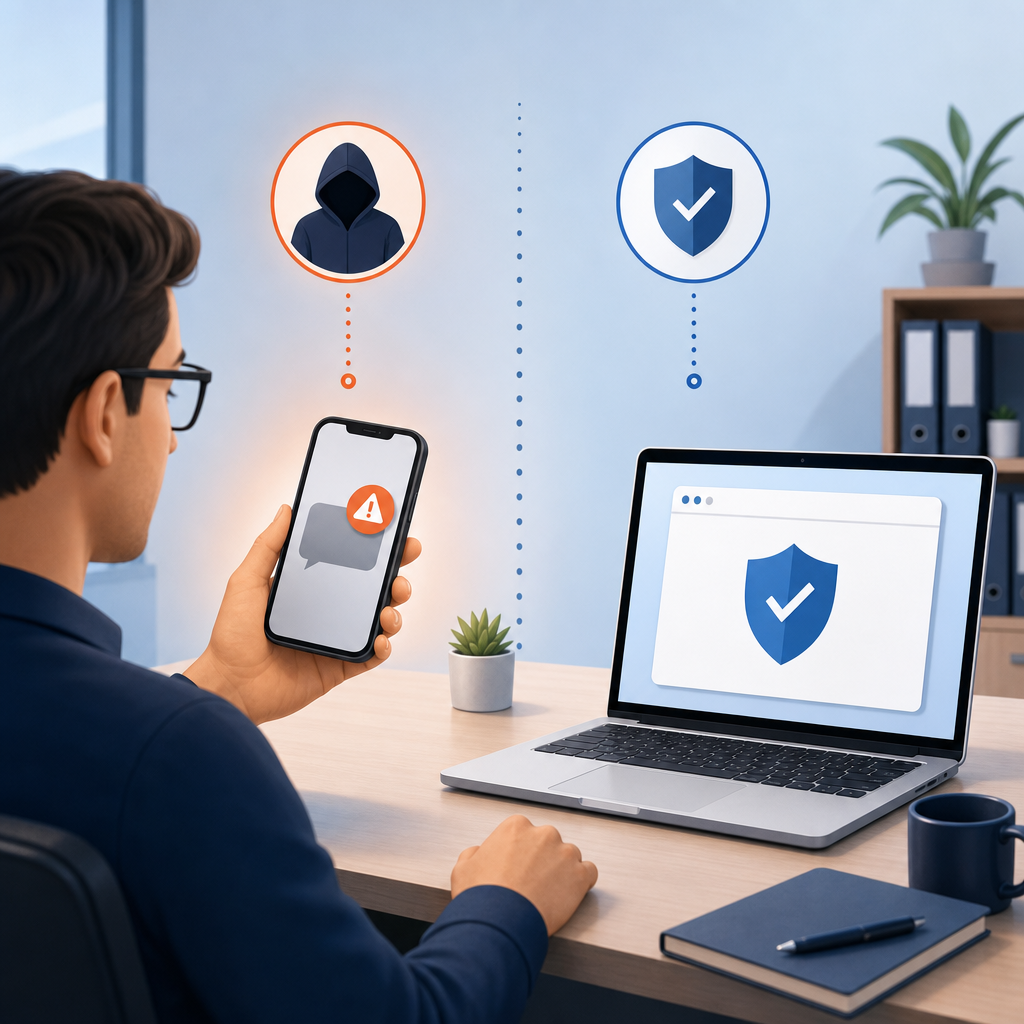
A text says your work passkey must be updated today or your Microsoft 365 account will be locked. It may even come with a phone call from someone claiming to be IT. What should you do?
The short answer: Do not use the link or read a sign-in code to the caller. Open your work account through your usual saved app or bookmark, then ask your IT team through a phone number or helpdesk channel you already know. If you already entered anything, report it immediately.
Why this is worth your attention right now
In research published September 9, 2026, Microsoft described attacks that start with a call or text to an employee's personal phone. The caller claims that a passkey or sign-in setting needs an urgent update and sends a convincing-looking sign-in page. The story about "setting up a passkey" can be a pretext to steal a password, capture a sign-in session, or trick someone into approving a device-code sign-in. Attackers may then add their own sign-in method and access work files or email.
Important distinction: A real passkey is a useful, phishing-resistant way to sign in. The scam is the unexpected request and link, not the passkey itself.
CrowdStrike Advanced Defend
CrowdStrike provides advanced cloud-native platform protection for endpoints, cloud workloads, identities, and data with a single lightweight agent.
What the message might look like
This is an illustration, not a real message or link. The sender, urgency, and unsolicited sign-in request are the warning signs.
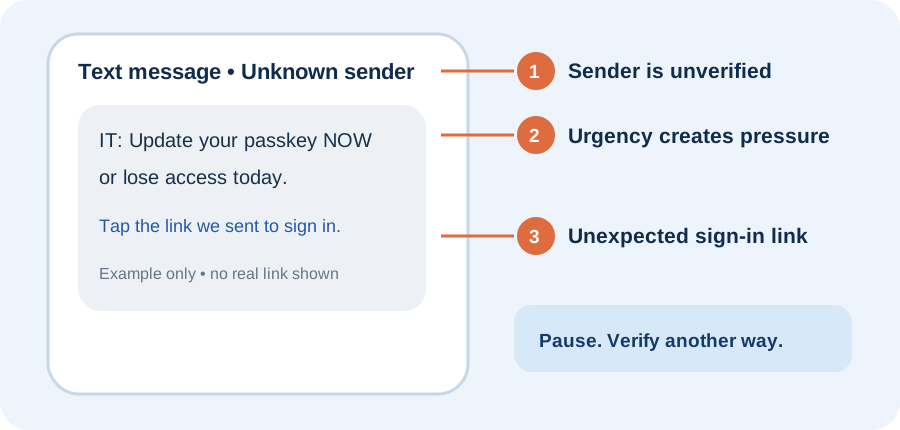
A familiar name on caller ID, a polished web page, or a message in Teams does not prove a request is genuine. Microsoft's research says attackers have also used messages from compromised accounts.
The three-step response: pause, open, verify
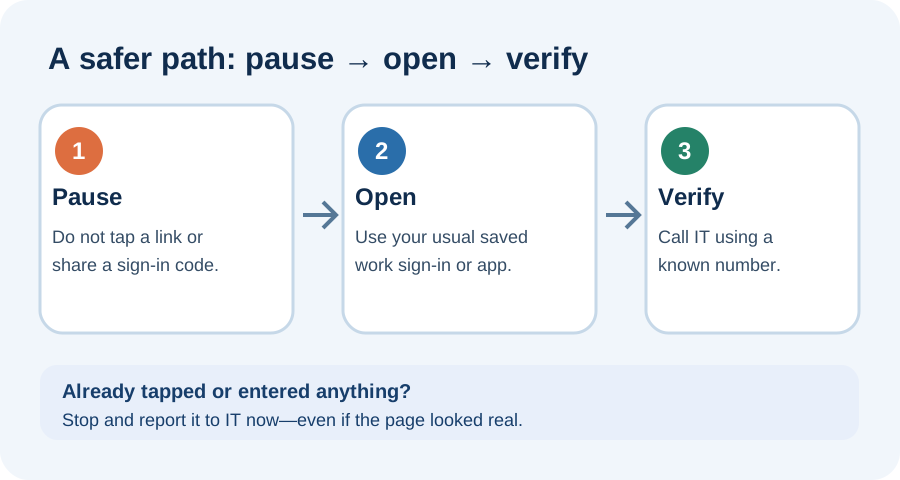
1. Pause. Do not follow the message.
Do not tap its link, scan its QR code, download anything, or enter a password. Never read a one-time sign-in code to a caller or approve a sign-in prompt you did not start. A deadline like "your account closes in 30 minutes" is a reason to slow down, not to rush.
2. Open your work account a different way.
On your work device, open your usual Microsoft 365 app, company portal, or a bookmark you saved before this message arrived. Type nothing from the text into the address bar. If your organization really needs you to change a sign-in method, look for instructions inside your normal work channel or ask IT how to do it. Do not attempt to set up a new passkey through the caller's link.
3. Verify with your real IT team.
Call the helpdesk using the number on your company directory or contact IT through your established ticketing system. Do not call a number supplied in the suspicious text or email. Say: "I got an unexpected request to change my passkey or sign-in method. Is this an authorized change?" Forward or screenshot the message using your company's reporting process so IT can warn others.
If you already tapped or entered something
You are not in trouble for reporting quickly. Stop interacting with the page and contact IT immediately using a known channel. Tell them what happened: whether you only opened the page, entered a password, typed a code, approved a prompt, or downloaded a file. Include the approximate time and a screenshot if safe to do so.
If you entered a password, change it through your normal, trusted sign-in path and ask IT to review active sessions and unfamiliar sign-in methods; changing a password alone may not end a stolen session. If you approved a sign-in prompt or shared a code, say so explicitly. Follow your organization's incident instructions rather than trying to investigate the account yourself.
Save this rule: A genuine IT request can always be checked through a channel you found independently. You do not need to decide whether a sign-in page "looks real" before you ask.
1Password Enterprise Password Manager
End-to-end data encryption with industry-leading security model. MSP console for multi-tenant client management and enhanced technician MFA for identity verification.
Frequently Asked Questions
Are passkeys unsafe?
No. Genuine passkeys are phishing-resistant. The danger is an unexpected call or message that uses passkey setup as a pretext to send you to a fake sign-in flow.
What if I already clicked?
Stop using the page and contact your IT team through a known channel. Tell them whether you entered a password, shared a code, or approved a sign-in prompt.
Content Quality
Article Tags
About The Network Company
Business Technology Team
Expert contributor at The Network Company, providing insights on technology, cybersecurity, and IT management to help businesses thrive in the digital age.
Related Articles

Microsoft patches record 570 Windows security bugs with two exploited zero days - update now
The July Patch Tuesday Windows update breaks the record for the most security bugs fixed in a single month, with three zero-day flaws and 61 rated critical.

Cyberattacks Are Coming From Inside the Cloud: How Financial Services Should Respond
If it seems like financial services face more cloud-based cyberattacks daily, that’s because they’re using and pushing applications to the cloud more often, according to CrowdStrike’s field CTO for the Americas. Cristian Rodriguez says these cyberattacks tend to start with stolen credentials or identities, allowing adversaries to simply log in and leading to some major data exfiltration events, the deployment of malware or ransomware, and even the use of cloud infrastructure for command and control communications. Sometimes the crime, nation-state or hacktivist groups committing these attacks…

CISA Orders Rapid Patching For ‘Critical’ Ivanti Mobile Management Flaw
The U.S. Cybersecurity and Infrastructure Security Agency (CISA) is ordering federal agencies to prioritize patching for a critical-severity Ivanti mobile management vulnerability.